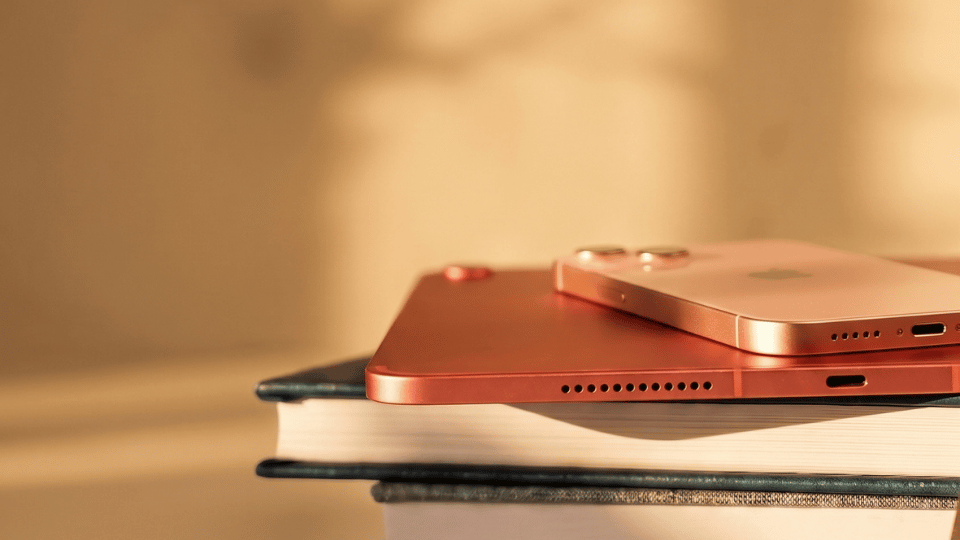
The Ultimate Guide to iPhone and iPad Integration: Syncing and Sharing Across Devices
One of the greatest strengths of the Apple ecosystem is the seamless integration between your iPhone and iPad. Whether you’re sharing photos, contacts, or documents, Apple’s syncing features help you keep everything connected and up-to-date across all your devices. However, syncing issues can sometimes arise, leading to confusion or frustration. In this guide, we’ll explore how to sync your iPhone and iPad effectively, troubleshoot common issues, and understand how to stop syncing between devices if needed.
Index
- Why is my iPad not syncing with my iPhone?
- Why are my contacts not syncing between iPhone and iPad?
- How to sync iPhone and iPad using iCloud
- How to stop iPad from syncing with iPhone
- Additional methods for syncing and sharing between iPhone and iPad
- Troubleshooting syncing issues between iPhone and iPad
- Conclusion
Why is my iPad not syncing with my iPhone?
If your iPad and iPhone aren’t syncing, there could be several reasons for the issue. The most common causes include:
- iCloud sync settings are turned off: Each device needs to have iCloud sync enabled for the specific items you want to share.
- Outdated iOS or iPadOS software: Running outdated software versions can cause syncing issues between your devices.
- Network connection issues: Your iPhone and iPad must be connected to the internet (preferably via Wi-Fi) for iCloud syncing to work.
- iCloud account mismatch: Both devices need to be signed into the same Apple ID to sync properly.
Let’s go over how to resolve these issues in the sections below.
Why are my contacts not syncing between iPhone and iPad?
If your contacts are not syncing between your iPhone and iPad, it’s often related to your iCloud settings or network connection. Here are the main reasons why this might happen:
- iCloud Contacts is not enabled: You need to ensure that Contacts is toggled on in your iCloud settings for both devices.
- Different default accounts: Sometimes, contacts may be saved to a different account (e.g., Gmail) rather than iCloud, preventing them from syncing across devices.
- Outdated software: Ensure both devices are updated to the latest iOS and iPadOS versions.
To sync contacts between your iPhone and iPad:
- Go to Settings on both devices.
- Tap Your Name at the top, then go to iCloud.
- Make sure Contacts is toggled on.
If your contacts are still not syncing, you may need to refresh iCloud syncing or check your default account settings under Settings > Contacts > Default Account.
How to sync iPhone and iPad using iCloud
The easiest way to sync your iPhone and iPad is by using iCloud. iCloud automatically syncs data like photos, contacts, calendars, notes, and more across your Apple devices as long as you’re signed in with the same Apple ID and have iCloud enabled.
Steps to sync iPhone and iPad with iCloud:
- Sign in to the same Apple ID on both devices:
- Go to Settings > Your Name and make sure both devices are logged into the same Apple ID.
- Enable iCloud syncing:
- On both devices, go to Settings > Your Name > iCloud.
- Toggle on the apps and data you want to sync, such as Photos, Contacts, Calendars, and Notes.
- Ensure a stable internet connection:
- Make sure both devices are connected to Wi-Fi, as syncing happens over the internet.
Once iCloud syncing is enabled, your iPhone and iPad should automatically share the selected data between them.
How to stop iPad from syncing with iPhone
There may be times when you want to stop syncing your iPad with your iPhone to keep certain data separate, such as messages, apps, or contacts. To do this, you can turn off iCloud syncing for specific items on your iPad.
Steps to stop syncing iPhone and iPad:
- Go to Settings on your iPad.
- Tap Your Name at the top and go to iCloud.
- Toggle off the features you no longer want to sync, such as Contacts, Photos, or Messages.
- Confirm that you want to keep or delete the data from your iPad.
This will stop your iPad from sharing data like contacts and photos with your iPhone, but both devices will remain connected to the same Apple ID.
Additional methods for syncing and sharing between iPhone and iPad
Apart from iCloud, there are other ways to sync and share data between your iPhone and iPad. Here are a few methods:
1. Handoff:
- Handoff lets you start a task on one device and continue on another. For example, you can start drafting an email on your iPhone and finish it on your iPad.
- To enable Handoff: Go to Settings > General > AirPlay & Handoff and turn it on for both devices.
2. AirDrop:
- AirDrop allows you to quickly transfer files like photos and documents between your iPhone and iPad wirelessly.
- Open Control Center on both devices, enable AirDrop, and select Contacts Only or Everyone to share files.
3. iTunes or Finder:
- You can use iTunes (Windows) or Finder (macOS) to sync your iPhone and iPad by connecting them to your computer. This method is useful for transferring media like music and movies.
Troubleshooting syncing issues between iPhone and iPad
If your iPhone and iPad are not syncing, follow these troubleshooting tips:
- Check iCloud settings: Ensure iCloud sync is enabled for the apps and data you want to sync on both devices.
- Sign out and back in to iCloud: Sometimes, signing out of iCloud and back in can refresh syncing:
- Go to Settings > Your Name > Sign Out, then sign back in.
- Restart your devices: Restarting both your iPhone and iPad can resolve minor software glitches.
- Update your devices: Make sure both your iPhone and iPad are running the latest iOS and iPadOS versions.
If the problem persists, you may need to reset your network settings:
- Go to Settings > General > Transfer or Reset iPhone > Reset > Reset Network Settings.
Conclusion
Syncing your iPhone and iPad allows you to share and access data seamlessly across devices. Whether you’re syncing through iCloud, Handoff, or AirDrop, staying connected within the Apple ecosystem has never been easier. If you run into issues with syncing, troubleshooting your iCloud settings or updating your devices will likely solve the problem. And if you need to stop syncing between devices, turning off specific iCloud features will keep your data separate across your iPhone and iPad.
More from Swappie:
Transfer data to a new iPhone
Got a new iPhone? Discover three easy ways to transfer your photos, apps and contacts from your old device quickly and securely. Read how to transfer data to a new iPhone.
Factory reset an iPhone without a password
Forgot your passcode or locked out of your iPhone? This guide shows two reliable methods to factory reset your iPhone without a password. Read the step-by-step guide to reset an iPhone without a password.
Best iPads for students
Looking for an iPad that fits your studies? We compare the best iPads for students in 2024 for note-taking, learning and entertainment on any budget. See our guide to the best iPads for students.
Why Swappie phones come with 86% battery health
Every Swappie iPhone comes with at least 86% battery health. Find out why this matters and how it gives you more value and longer-lasting performance. Read why Swappie phones now come with 86% battery health.
Swappie’s Expert Comparisons:
iPhone 15 vs iPhone 16
Not sure whether to go for the iPhone 15 or the newer iPhone 16? We break down the differences in design, performance, battery life and camera so you can make the right choice. Read the full comparison iPhone 15 vs iPhone 16.
iPhone 14 vs iPhone 15 (Camera)
Is upgrading to the iPhone 15 worth it for the camera alone? Our in-depth guide highlights the key improvements like the 48 MP main sensor, Photonic Engine and Dynamic Island. See the full iPhone 14 vs iPhone 15 camera comparison.
Refurbished iPhone 11 Pro vs Xiaomi Redmi Note 13
Thinking of choosing between a refurbished iPhone 11 Pro and a Xiaomi Redmi Note 13? We compare display, performance, cameras, battery life and value for money. Read the detailed comparison iPhone 11 Pro vs Xiaomi Redmi Note 13.
iPhone 14 vs iPhone 13
Wondering if you should stick with the iPhone 13 or upgrade to the iPhone 14? We look at differences in camera, battery, performance and safety features like Crash Detection. Read the iPhone 14 vs iPhone 13 comparison.
iPhone 12 vs iPhone 13
How much better is the iPhone 13 compared to the iPhone 12 in 2024? We cover improvements in battery life, performance, camera quality and software support. See the full comparison iPhone 12 vs iPhone 13.
iPhone 13 Pro vs Samsung Galaxy S23
Trying to decide between the iPhone 13 Pro and the Samsung Galaxy S23? We compare displays, cameras, performance, battery life and ecosystem so you can choose with confidence. Read the full iPhone 13 Pro vs Galaxy S23 comparison.